

The Impact of Android 16 on Multi-Window Workflow for Retail Operations
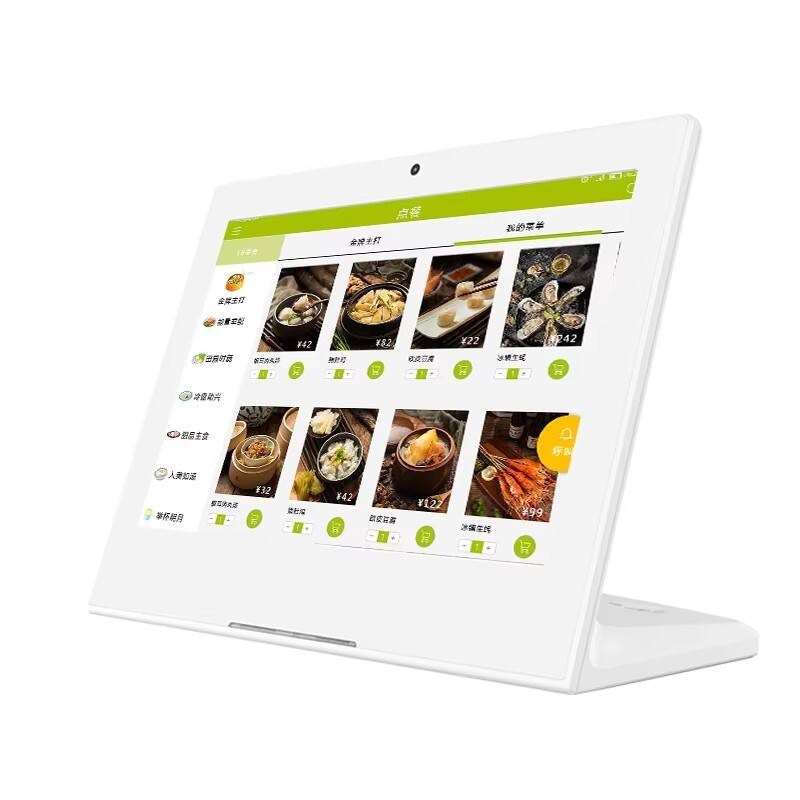
When Retail Workflows Become the Bottleneck, Not the Hardware
In modern retail environments, speed is everything—but many store operations are still slowed down by fragmented systems. Cashiers switch between POS terminals and inventory devices, staff rely on separate screens for order processing and stock verification, and managers struggle with delayed data synchronization.
This disconnect creates inefficiencies that directly impact customer experience and store performance. Retailers began searching for a more unified solution—one that could handle multiple tasks simultaneously. The emergence of the Android 16 tablet with enhanced multi-window capabilities introduced a new possibility: transforming a single Android retail tablet into a true multitasking workstation.
Retail Expansion Driving the Need for Smarter Tools
The client, a rapidly growing retail chain with over 80 stores, faced increasing operational pressure. As store traffic increased, so did the complexity of managing checkout, inventory, and in-store logistics.
Their goal was clear: implement a retail POS tablet system that could streamline operations, reduce staff workload, and support real-time decision-making. However, they needed more than just a POS device—they needed a retail workflow tablet capable of handling multiple applications simultaneously without compromising performance.
Why Traditional POS Systems Were No Longer Enough
Previously, store staff relied on a combination of POS terminals and separate inventory devices. While functional, this setup introduced several limitations:
- Cashiers had to switch between systems to confirm stock availability
- Inventory updates were delayed, causing inconsistencies
- Staff training was more complex due to multiple devices
- Workflow interruptions reduced checkout efficiency
Even when tablets were introduced, limited multitasking capabilities meant that staff still had to switch between apps. This lack of true parallel operation prevented businesses from achieving real efficiency gains.
Evaluating iPad vs Android for Retail Multitasking
During the evaluation phase, the client compared iPad-based systems with Android solutions. While iPads offered a polished user experience, they were limited in handling complex, enterprise-level multitasking scenarios.
For retail environments that required real-time POS and inventory synchronization, this limitation became critical. The inability to run multiple business applications side by side reduced operational efficiency.
In contrast, Android—especially with Android 16 multi-window tablet for retail capabilities—enabled true split-screen and multi-app workflows. A multi-window Android tablet allowed staff to process transactions while simultaneously checking inventory, updating stock, or accessing customer data.
Why Android 16 Became the Turning Point
The decision ultimately came down to workflow efficiency. Android 16 introduced significant improvements in multi-window performance, making it possible to run multiple applications smoothly on a single device.
With a multi-tasking Android tablet for stores, the client could:
- Operate POS and inventory systems in parallel
- Monitor real-time stock levels during checkout
- Reduce the need for additional hardware
- Enable faster decision-making at the point of sale
This transformed the tablet from a simple POS tool into a full enterprise Android tablet for retail operations.
Deployment: One Device, Multiple Workflows
The company deployed commercial Android tablets across all stores, primarily in checkout and inventory management areas.
In practice, store staff used a retail POS and inventory management tablet to handle multiple tasks simultaneously:
- A POS system ran on one side of the screen for transactions
- A stock management app displayed real-time inventory on the other
- Managers accessed analytics dashboards in floating windows
This setup created a seamless Android tablet for retail operations, eliminating the need to switch between devices or interrupt workflows.
Real-World Impact on Store Efficiency
The results were immediate and measurable:
- Checkout time reduced by 35% due to faster transaction processing
- Inventory verification time dropped by 50% with real-time access
- Staff productivity improved significantly as multitasking became seamless
- Hardware costs decreased by replacing multiple devices with one Android POS system tablet
By enabling a multi-window POS tablet Android 16 workflow, the retailer achieved a level of operational efficiency that was previously unattainable with traditional systems.
What Store Teams Experienced on the Ground
Store staff quickly adapted to the new system. Instead of switching between tools, they could manage everything from a single Android tablet for retail staff workflow.
Cashiers reported fewer interruptions during checkout, while inventory teams appreciated the ability to update stock instantly. Managers gained better visibility into operations through real-time data, improving decision-making across stores.
The shift also reduced training time, as employees only needed to learn one unified system rather than multiple disconnected tools.
What This Means for Retail Decision-Makers
This case highlights a critical shift in retail technology: efficiency is no longer driven by adding more devices, but by enabling smarter workflows.
For retail chains evaluating digital transformation strategies, the key takeaway is clear:
A well-implemented Android business tablet for stores, powered by advanced multi-window capabilities, can unify operations, reduce costs, and significantly improve staff productivity.
As Android continues to evolve, features like multi-window multitasking are redefining what a retail management tablet can achieve—turning it into a central hub for modern retail operations.