

Linux on 15.6-Inch Commercial Touch Tablets: Hardware Compatibility and Customization Guide
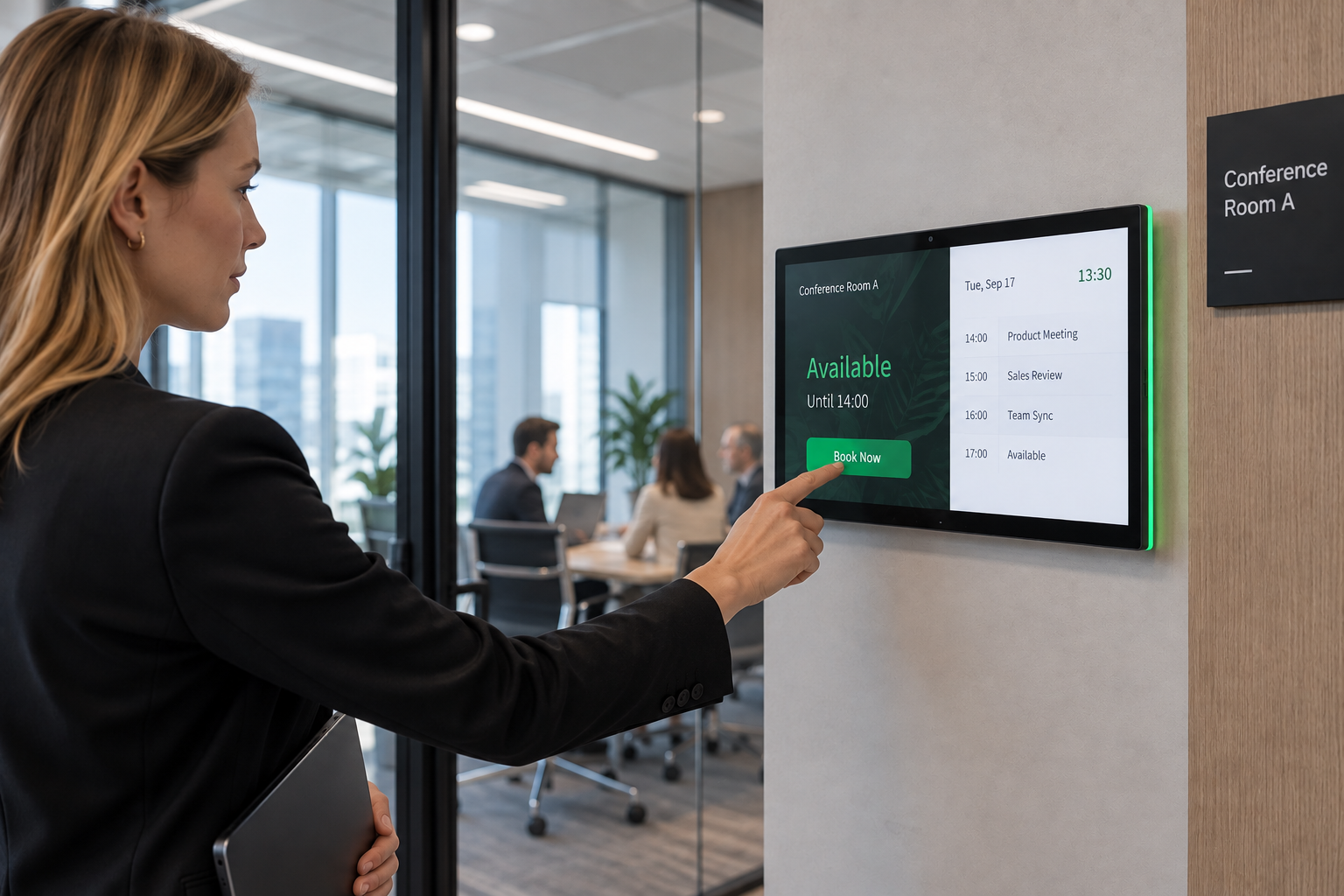
A 15.6-inch commercial touch tablet is often selected for its screen size, enclosure, mounting method, interfaces, and application environment. But when a project requires Linux instead of Android, the operating system quickly becomes more than a software preference. It becomes part of the hardware compatibility discussion.
This is particularly relevant for system integrators and software developers who already have a Linux-based application or embedded environment. They may be looking for a 15.6-inch touch screen tablet that can serve as the physical interface for their existing system rather than adopting a completely new Android-based software stack.
For this type of project, the useful question is not simply whether a commercial Android tablet uses an RK3566 or another Linux-capable processor. The more practical question is how the complete tablet platform — including its PCBA, display, touch panel, interfaces, BSP, kernel, and drivers — fits the intended Linux environment.
Why Linux Becomes a Requirement for Commercial Touch Tablets
Linux can enter a commercial touch tablet project for several reasons. A system integrator may already have an application developed for Linux, while an equipment manufacturer may need the tablet to communicate with an existing Linux-based controller or software environment. In other projects, the customer may want direct control over the operating system, system image, peripherals, or application deployment process.
In these situations, the tablet is not being purchased simply as an Android consumer device. It becomes one hardware component inside a larger software and equipment architecture.
That distinction changes the evaluation process.
An Android tablet can be evaluated largely around whether its existing applications and functions meet the project requirements. A Linux-based project needs another layer of verification: whether the selected hardware platform can boot the required Linux environment and whether the hardware functions that matter to the application are available under that environment.
The difference can be illustrated simply:
Customer application → Linux environment → tablet hardware → display, touch and interfaces
The Linux system therefore has to communicate with the actual hardware configuration of the tablet. Display output, touchscreen input, storage, USB, Ethernet, audio, serial interfaces and other peripherals are not automatically available simply because the processor itself has Linux support.
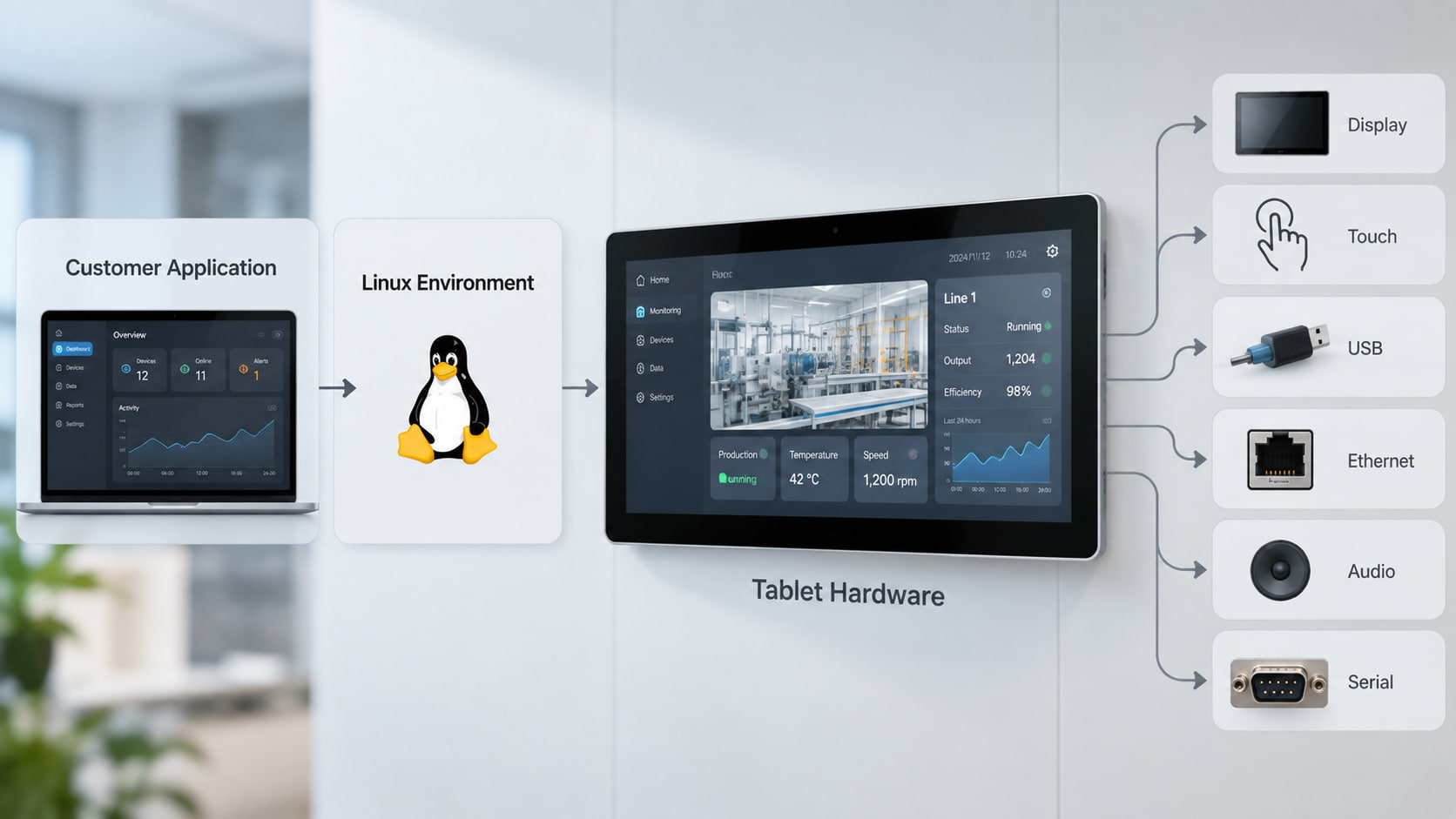
This is why a request such as “Can this tablet run Linux?” usually needs to be understood as a platform question rather than a simple operating-system question. In other words, Linux support for commercial touch tablets depends on the relationship between the software environment and the actual hardware configuration.
How Linux Fits Into Our Commercial Tablet Platforms
Our commercial Android tablet products cover several application environments, including advertising displays, meeting terminals and smart-home control panels. These products are built around different combinations of screen sizes, mounting structures, interfaces, processors and application functions.
For example, our 15.6-inch wall-mounted tablet uses an RK3566 platform with a 15.6-inch 1920 × 1080 touch display, Ethernet, USB, OTG and optional NFC. The product is positioned for wall-mounted digital signage and interactive commercial applications.
A different configuration is the 15.6-inch RK3566 tablet PC, designed around meeting and commercial terminal applications. Its published configuration includes an RK3566 processor, 2/4 GB RAM, multiple storage options, 100M/1000M Ethernet, USB host, OTG, PoE, NFC/RFID options and a 15.6-inch 1920 × 1080 touch display.
The same processor family also appears in a different application context through the 15.6-inch smart home control tablet. This configuration adds interfaces and functions such as RS-232, RS-485, relay control, Ethernet, PoE, Zigbee, Matter and sensor functions for smart-home integration.
These examples show why the processor alone is not enough to define a Linux project.
Three tablets can use the same processor family while having different PCBA layouts, peripheral components, interfaces and application requirements. From a Linux development perspective, those differences can determine what can be reused and what needs additional adaptation.
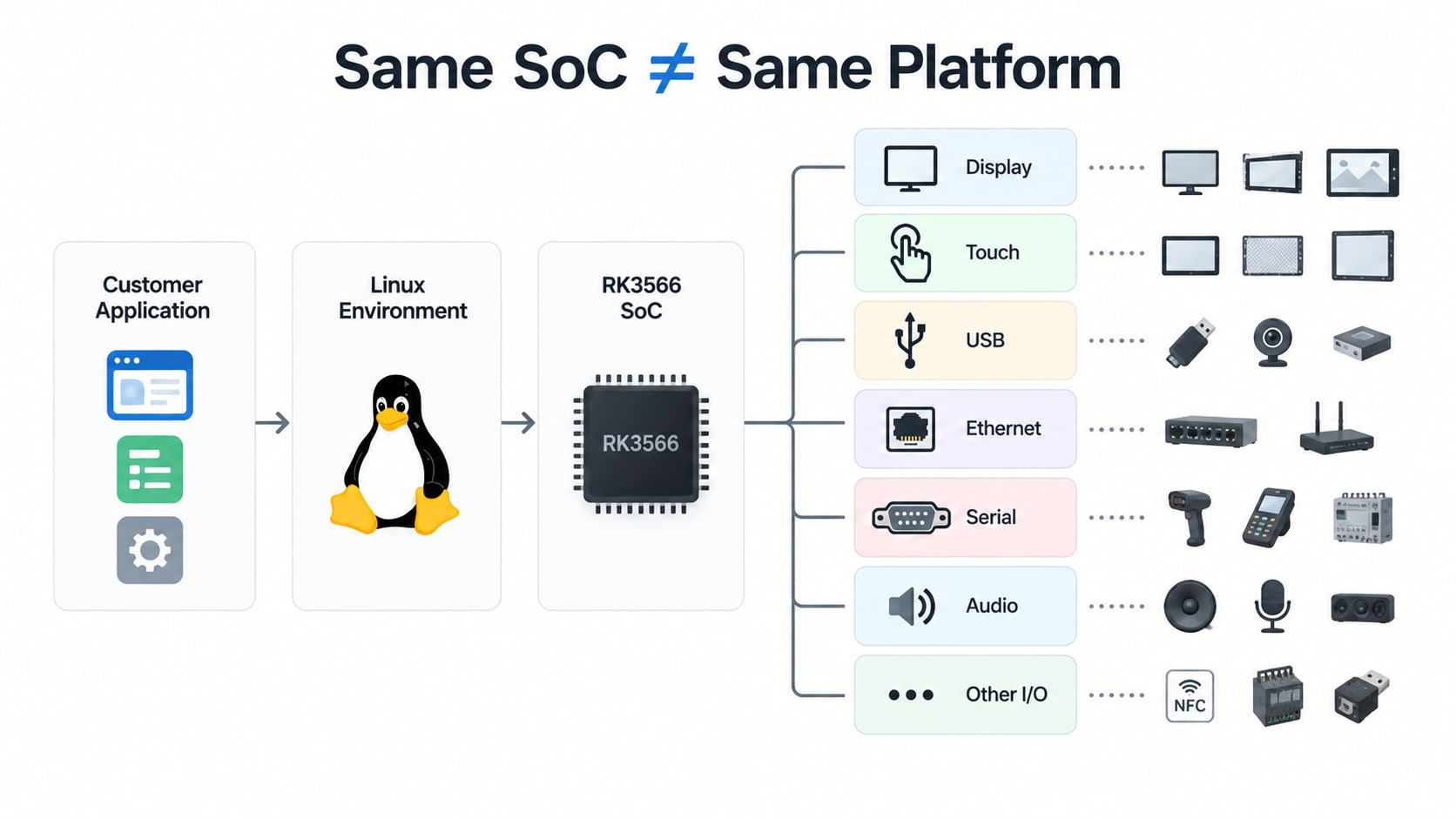
The practical starting point is therefore not “Which Android tablet supports Linux?” but:
Which existing hardware platform is closest to the customer's Linux application, and what additional software or hardware work is required to make the platform usable?
What Can Be Reused, and What May Need Development?
A Linux project does not necessarily mean rebuilding an entire tablet from scratch. Depending on the hardware and software requirements, some parts of an existing 15.6-inch Android tablet can remain unchanged while other layers require development or verification.
The physical product may already provide the required screen size, enclosure, mounting structure, power design and interface configuration. The processor and PCBA may also be suitable as a starting point.
The software side is different.
A Linux system normally needs a compatible kernel, board support package (BSP), device configuration and drivers for the hardware used by the target board. Linux's Device Tree mechanism, for example, is used to describe hardware characteristics to the operating system, including platform configuration and connected peripherals.
For a tablet project, this becomes relevant when the Linux environment needs to communicate with components such as the display, touchscreen controller, storage, Ethernet controller, USB interfaces or other peripherals.
A simplified development relationship looks like this:
Hardware configuration → BSP / kernel → drivers and Device Tree → Linux system → customer application
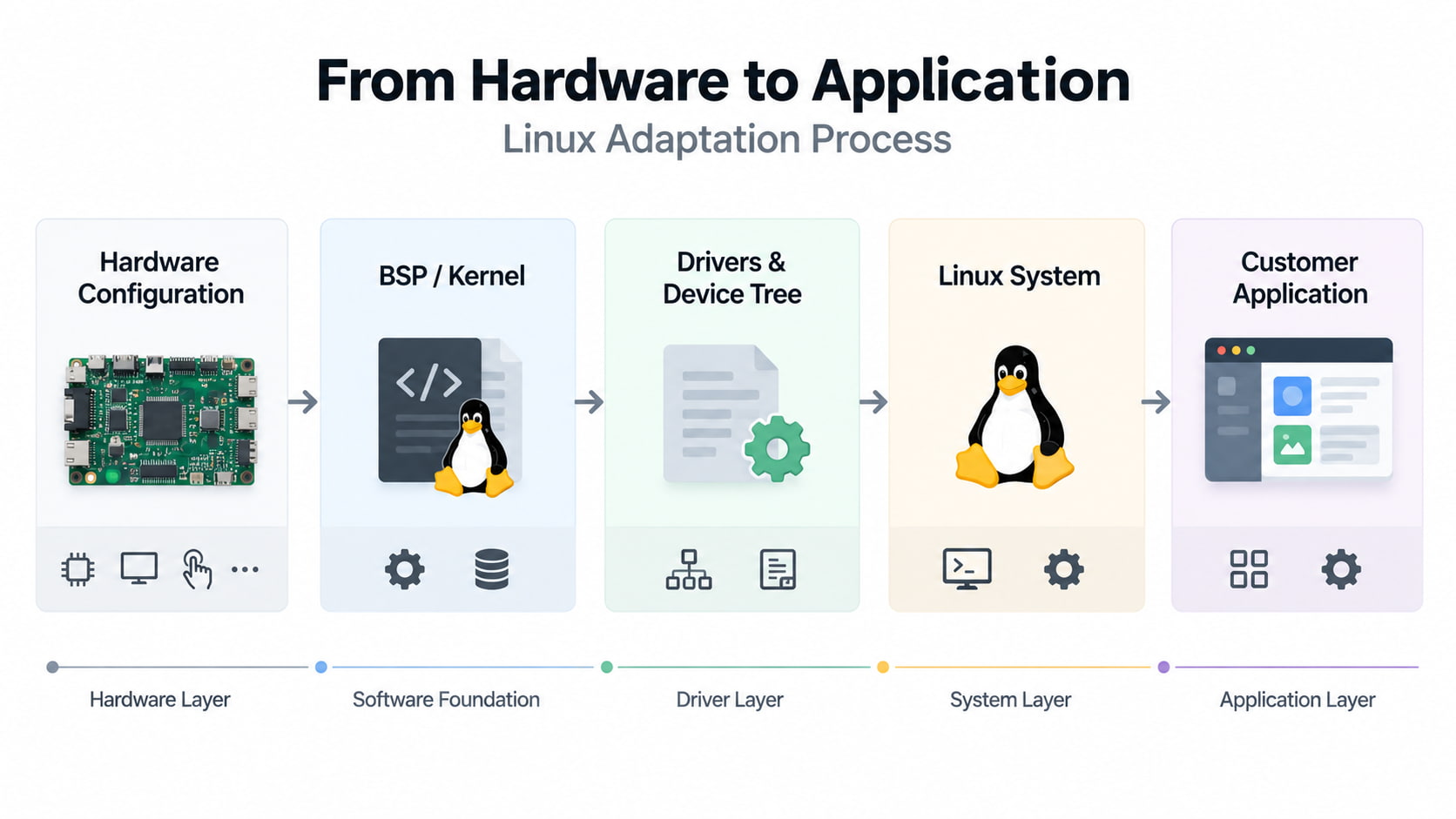
If the hardware configuration remains the same and an appropriate Linux platform already exists, the project may be able to reuse a substantial part of the existing platform.
If the display, touchscreen IC, storage configuration or peripheral design changes, additional adaptation may be required.
The same principle applies to a customer-provided Linux environment. A customer may already have a preferred distribution, kernel, root filesystem or application. In that situation, the task is not simply to “install Linux” on the tablet. The customer environment needs to be checked against the target hardware platform.
For example, the development team may need to determine whether the required kernel and BSP can support the board, whether the display and touch functions are available, and whether the interfaces required by the application work correctly.
Rockchip's own open-source documentation illustrates this board-specific relationship: kernel builds use board-specific configuration such as kernel defconfig and Device Tree selections.
That is why two products using the same SoC can still represent different Linux development projects.
How Far Can Our Linux Capability Go?
The practical boundary of Linux support is best understood through the development stage rather than through a simple “Linux supported / not supported” label.
At the first level, an existing hardware platform may already have a suitable Linux environment. In this situation, the project can start from the existing platform and focus on verifying the customer's required functions.
The next level is platform adaptation. The processor may remain unchanged, while the target tablet has a particular display, touchscreen, storage configuration or peripheral combination. The work can then move into kernel, Linux BSP, Device Tree or touchscreen driver and display driver adaptation.
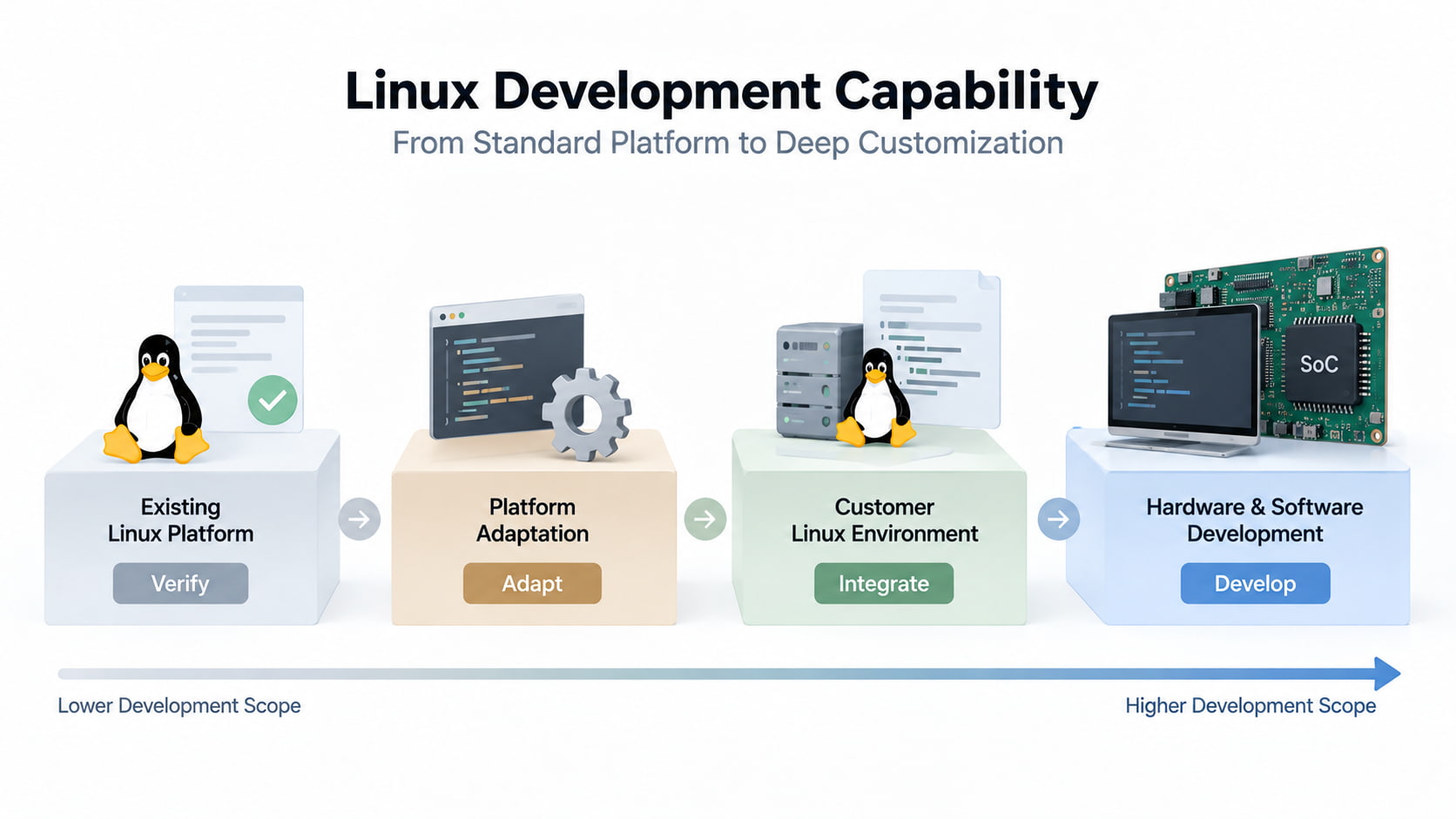
A third situation occurs when the customer already has its own Linux environment. Instead of replacing the customer's software architecture, the hardware platform needs to be evaluated against the customer's Linux image, application requirements and required interfaces.
The final level is a deeper hardware development project. If the existing PCBA or peripheral configuration cannot meet the Linux application's requirements, changing the hardware platform may be more appropriate than trying to force an existing Android configuration into a different software environment.
This distinction matters for commercial projects because the development scope affects both prototype validation and later production.
For example, a customer may only need a Linux-compatible display terminal for a prototype. Another project may require a stable configuration that can remain unchanged through volume production. The two projects may start from a similar commercial touch screen display form factor but require very different levels of engineering work.
For this reason, Linux capability should be defined around the specific combination of CPU, PCBA, Linux environment, peripherals and application requirements.
That also creates a clearer way to communicate what can be provided: an existing platform, a platform requiring Linux adaptation, or a project that needs deeper hardware and software development.
Linux-Capable Tablet Options for Different Commercial Applications
The right starting point also depends on what the tablet is expected to do.
For digital signage and wall-mounted interactive applications, the 15.6-inch digital signage tablet provides an existing commercial hardware configuration around an RK3566 platform, 10-point capacitive touch, Ethernet, USB and PoE.
For meeting and identification-related terminals, the RK3566 NFC PoE tablet PC combines the same processor family with NFC/RFID options, PoE and a wall-mounted 15.6-inch touch display.
For smart-home control applications, the RK3566 smart home control tablet provides a different peripheral configuration, including RS-232, RS-485, relay control, Ethernet, PoE and smart-home communication protocols.
These products should not be treated as interchangeable Linux devices simply because some share the same processor family. They represent different hardware platforms and application configurations. A Linux project should therefore begin by matching the customer's software and interface requirements to the closest existing platform.
Bringing Linux into a commercial tablet project is, at its core, a hardware-software co-engineering assessment. If you are currently evaluating a Linux touch tablet for your project, we invite you to connect with us. Share your preferred CPU, existing Linux image or distribution, specific interface requirements, and application scenario, and our engineering team will help you evaluate existing platform compatibility—clarifying what can be directly reused and what requires kernel or driver adaptation.