

Android vs. iPad: How Self-Service Kiosk Tablets Optimized Enterprise Operations in 2026
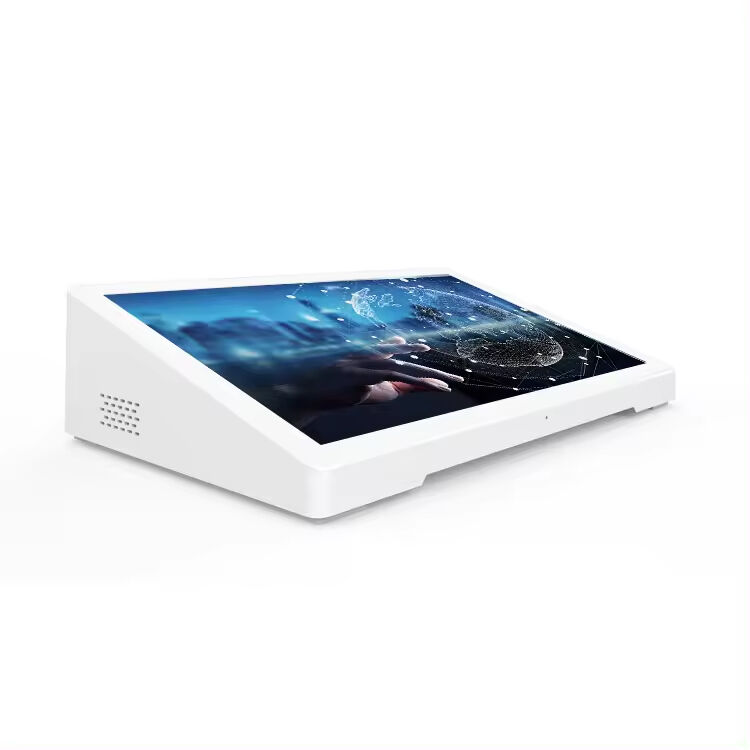
Modernizing Customer Experience in Fast-Paced Environments
In today’s high-traffic restaurants, hotels, and healthcare facilities, providing fast, reliable, and user-friendly service has become a critical operational priority. Traditional service methods—manual ordering, counter-based POS systems, or paper-based queues—often create bottlenecks, extend wait times, and increase reliance on staff. Many enterprises struggled with inefficiencies and rising labor costs. To remain competitive and meet customer expectations, a solution that enhanced speed, accuracy, and autonomy was urgently needed. The self-service ordering tablet emerged as the answer, delivering an interactive, scalable, and cost-effective platform.
Client Background: A Multi-Site Hospitality and Healthcare Enterprise
Our client operates a network of mid-sized restaurants, hotels, and healthcare facilities across multiple cities. Their operations faced increasing demand for self-service options to improve throughput, reduce staff workload, and provide a modern, digital-first experience for customers and patients. Their key objectives were clear: accelerate ordering and check-in processes, minimize human errors, and ensure seamless integration with existing IT and management systems.
Challenges with Legacy Systems
Prior to adopting Android self-service kiosks, the client encountered several challenges:
- Manual ordering and counter POS systems caused long queues and slowed down service during peak hours.
- Paper forms and manual check-ins led to frequent errors in orders or patient registration.
- Menu and service updates required staff intervention, creating inefficiency and inconsistency across locations.
-
High labor dependency increased operational costs and limited scalability for expansion.
The client recognized that without a digital, automated approach, they could not meet evolving customer expectations or optimize staffing resources.
Evaluating Alternatives
The client explored multiple solutions, including iPad-based self-service kiosks, proprietary ordering terminals, and hybrid POS systems. iPads offered a sleek interface but were constrained by closed ecosystems, limited APK deployment, and higher costs for enterprise-scale customization. Proprietary kiosks lacked flexibility for software updates and multilingual support. The client ultimately selected Uhopestar Android self-service ordering tablets for their open architecture, cost-effectiveness, and enterprise-friendly customization capabilities.
Why Uhopestar Android Tablets Were Chosen
Hopestar tablets addressed the client’s key requirements with features such as:
- Customizable software deployment: Enterprises could install proprietary APKs, push updates remotely, and tailor the interface for multi-language support.
- Interactive touchscreen experience: Intuitive navigation enabled first-time users to place orders or complete self-service tasks with minimal guidance.
- Seamless integration: Tablets connected with kitchen management, inventory tracking, payment systems, and hospital or hotel management software.
- Scalable and durable design: Tablets could be deployed across multiple locations with minimal maintenance and low total cost of ownership.
- Efficiency and cost savings: Open Android architecture reduced licensing fees and hardware costs, while staff workload decreased.
Implementation and Use Cases
The tablets were deployed in three main environments:
- Restaurant self-ordering: Customers used tabletop kiosks to browse digital menus, customize orders, and complete payments. Queue times were cut in half, and staff were freed to focus on food preparation and customer service.
- Hotel self-service stations: Guests checked in, requested room services, and placed food orders through the interactive kiosk, improving guest satisfaction while reducing front desk congestion.
- Healthcare self-service terminals: Patients and visitors used the kiosks for registration, appointment check-ins, and information retrieval, reducing administrative delays and staff intervention.
The implementation included intuitive interfaces, quick onboarding guides, and real-time content updates, ensuring consistency across all locations.
Results and Measurable Impact
After deployment, the client reported significant improvements:
- Service speed: Average transaction and ordering times decreased by 50%.
- Staff efficiency: Employee workload reduced by 35%, allowing redeployment to more strategic tasks.
- Accuracy: Errors in orders, guest requests, and patient data dropped by 40%.
-
Customer satisfaction: Surveys indicated a 20% improvement in perceived service speed and overall experience.
The combination of faster operations, reduced errors, and lower labor costs validated the client’s investment in Android self-service kiosks.
Client Feedback
“The Hopestar Android self-service tablets transformed how our customers and guests interact with our services,” said the Operations Manager. “We achieved faster transactions, fewer mistakes, and a noticeable improvement in customer satisfaction, all while reducing operational costs.”
Industry Insights
This case highlights a broader enterprise trend: interactive Android self-service kiosks are redefining operational efficiency and cost management. Across hospitality, restaurants, and healthcare, enterprises increasingly rely on open, customizable, and scalable platforms to enhance customer experiences, reduce labor dependency, and maintain operational consistency. For CTOs and operations managers evaluating digital self-service solutions, the key takeaway is that Android-based enterprise tablets deliver measurable improvements in speed, accuracy, and cost-efficiency, making them a strategic investment for long-term growth.